
 Русский
  English

A White Page template can shorten the path from an idea to a working website. The layout, content hierarchy, and basic visual system are already in place, so you do not have to start with an empty canvas. However, a useful result rarely comes from changing only the headline and hero image. The website still has to match the actual offer, audience, language, location, and intended visitor action.
That is why White Page examples are more valuable as a library of decisions than as pages to copy. One project may need a focused service landing page, another a multi-page company website, and another a content-driven blog. This guide explains the most common formats, the sections a strong template should include, and the checks required before publication.
White Page Example vs. White Page Template
An example shows how a particular website problem was solved. It demonstrates the order of sections, the way the topic is introduced, the placement of contact details, and the path toward the primary action. Its purpose is to provide a reference.
A template is a reusable starting point. It already contains pages, sections, styles, navigation, and a technical foundation. The user replaces the copy, imagery, contact information, and configuration, then reviews the result.
The distinction matters for two reasons:
- a strong example is not automatically the right template for a different industry;
- a ready-made template should never be published without adapting it to the real offer.
If the term itself is new to you, start with What Is a White Page?. Here, the focus is specifically on structure and template selection.
Common White Page Formats
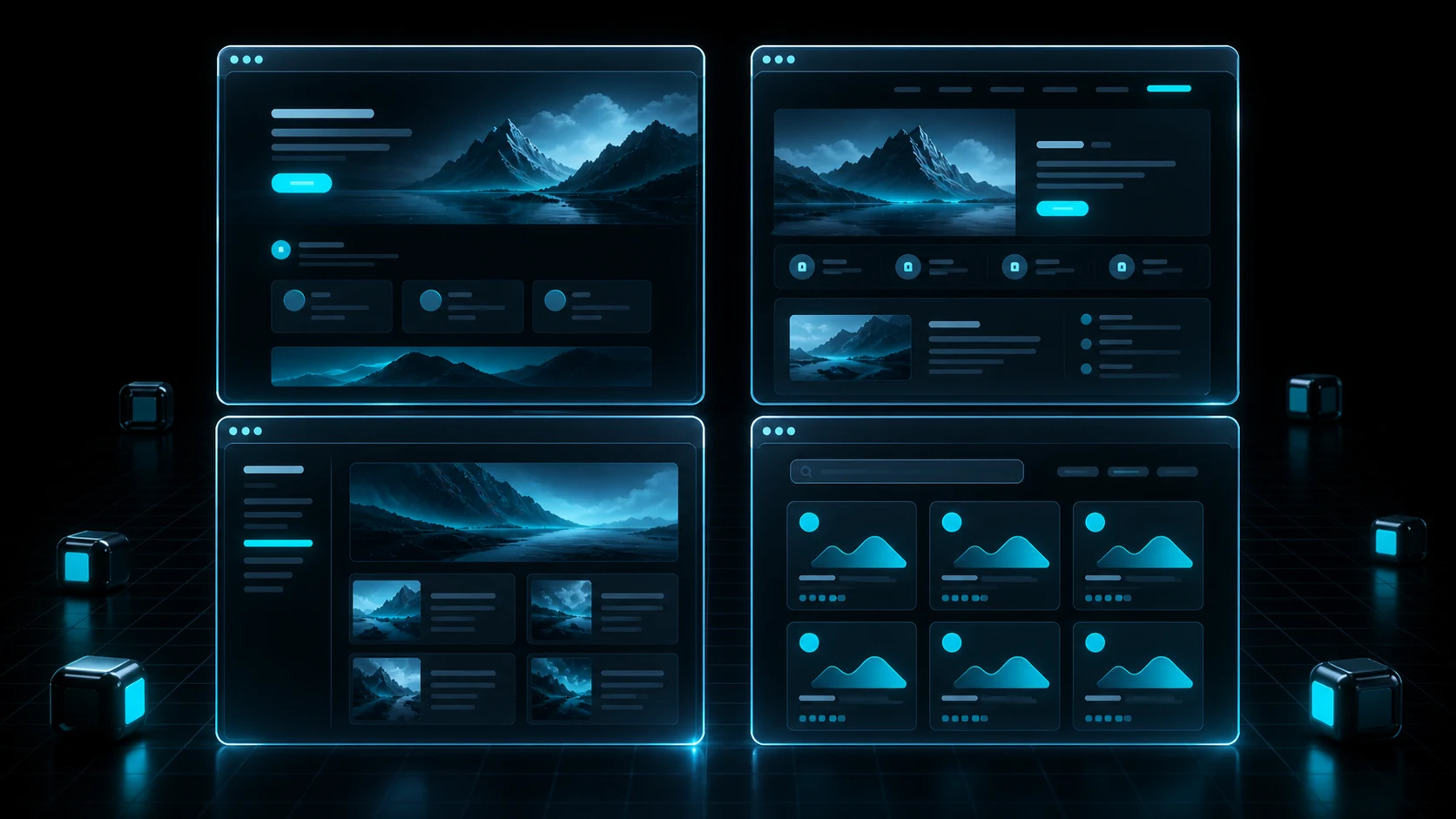
Different White Pages may share visual elements while supporting very different user journeys. The best format is determined by the amount of information visitors need and what they should be able to do on the site.
Single-Page Service Website
This format works when an offer can be explained in one continuous page. A typical structure includes:
- a hero section with a clear headline;
- a short service overview;
- benefits or distinguishing features;
- a process or workflow section;
- frequently asked questions;
- contact information and an inquiry form.
The main advantage is focus. Visitors do not have to navigate between pages. The limitation becomes clear when the website needs to explain many services, locations, or complex conditions. Adding every detail to one page can make the experience long and unfocused.
Multi-Page Company Website
A multi-page structure is useful when a business has several services, locations, or areas of expertise. It commonly includes a home page, an about page, dedicated service pages, contact information, and any required policy pages.
This format provides more room for detailed content and internal linking. It can also support organic search when each important service deserves a dedicated page. The tradeoff is a larger review scope: navigation, metadata, and company details must stay consistent across the entire site.
Informational Blog
A blog is organized around posts, categories, and content discovery. Its purpose is not only to introduce a project but also to answer audience questions over time.
A practical blog template normally includes:
- a home or archive page for posts;
- categories;
- article cards;
- a readable single-post layout;
- related content;
- search or clear navigation;
- author and update information when relevant.
Choose a blog structure with future growth in mind. A layout that works for three posts may become difficult to navigate after thirty.
Service or Solution Directory
A directory is appropriate when users need to browse or compare several offerings. Its most important component is not a long promotional paragraph but a clear system of cards, filters, or service groups.
Each card should lead to a useful page with factual characteristics, terms, and a clear contact path. Empty sections, duplicated descriptions, and invented parameters reduce trust and make the site harder to use.
Local Business Website
For a local business, geography and contact details are central. A template may include a service area, address, opening hours, map, phone number, and inquiry form.
Never leave demo data in place. Replace addresses, phone numbers, team member names, and testimonials with verified information. If real data is unavailable, removing a section is safer than filling it with fabricated content.
What a Strong White Page Template Includes
The exact sections depend on the format, but useful templates solve several common problems.
A Clear Hero Section
Visitors should quickly understand what the website is about and what they can do next. The hero normally contains one H1, a concise explanation, a primary action, and relevant imagery. Vague slogans do not replace a specific description of the product or service.
A Logical Content Sequence
Sections should answer questions in a natural order: what is offered, who it is for, how it works, what the conditions are, and how to get in touch. If every block can be rearranged randomly without changing the meaning, the structure probably needs more thought.
Verifiable Trust Signals
Useful trust signals include factual product details, a transparent process, real examples, applicable documentation, and valid contact information. Do not carry testimonials, awards, partner logos, or statistics from a demo template into an unrelated project.
Navigation and a Primary Action
Buttons, menus, and forms should lead where their labels promise. A short landing page may need only anchor navigation and an inquiry form. A multi-page website needs consistent menus, clear links between related pages, and breadcrumbs where they improve orientation.
Contact and Policy Pages
The website should provide current ways to contact the organization and the documents required for the project. Privacy, cookie, disclosure, and other obligations vary by country, industry, and data-processing setup. They should be reviewed for the specific use case rather than copied as universal boilerplate.
A Reliable Mobile Layout
A responsive template still needs testing after new content is added. Check text size, button and form controls, menu behavior, headline wrapping, image cropping, and content spacing on several screen widths.
How to Choose a White Page Template
Start with content and purpose, not colors or animation. Before selecting a template, answer these questions:
- What does the project actually offer?
- How much information must the website present?
- Do services, locations, or articles need separate pages?
- What is the primary visitor action?
- Which verified materials are available: copy, photos, contacts, and documents?
- Which devices will the audience use?
- Who will maintain the website after launch?
If the offer is simple and fits into five to seven meaningful sections, a landing page may be enough. If several topics require detailed explanation, use a multi-page structure. For regular publishing, a blog with an administrative interface is more practical.
Consider maintenance as well. An HTML/PHP template is easy to deploy as a set of files, but content changes may require code editing. WordPress makes post management easier, while adding responsibilities such as updates, backups, and basic security.
Ready-Made Template vs. AI Generation

Both approaches save time, but in different ways.
| Criterion | Ready-Made Template | AI Generation |
|---|---|---|
| Initial structure | Already defined | Built from the project brief |
| Speed to first result | High | High |
| Adaptation to industry and location | Primarily manual | Included in the input parameters |
| Layout uniqueness | Limited by the selected design | Usually higher, but requires review |
| Predictability | High | Depends on input quality |
| Editing before publication | Required | Required |
A ready-made template is efficient when its structure already fits the project and only the content needs replacement. AI generation is more useful when the website must reflect a particular topic, country, language, and format without manually planning every section.
The full workflow is covered in How to Create a White Page with AI.
How to Adapt a Template Correctly
Replace the Meaning, Not Just the Words
Every section should serve a clear purpose in the new project. Remove blocks that do not help explain the offer. Add missing information even when the original template did not include a place for it.
Use Verified Project Data
Confirm the company name, contact details, address, pricing, timelines, and terms. Remove demo numbers and any claim that cannot be supported.
Localize the Entire Experience
Localization goes beyond translation. Review dates, currency, units, address formatting, communication methods, and terminology familiar to the audience. Images and examples should also make sense for the selected country.
Review Imagery and Usage Rights
Images should be relevant and properly licensed. Remove watermarks, sample logos, and visuals that could misrepresent the organization. Add useful alt text where an image contributes meaning.
Configure SEO Elements
Create a unique title tag, meta description, and H1. Review the URL, internal links, section headings, and social metadata. Do not reuse the template's metadata or add keywords that are unrelated to the visible content.
Test the Technical Layer
Test forms, buttons, menus, external links, HTTPS, and responsive behavior. Optimize oversized images and confirm that important content loads without errors.
Common Template Mistakes
- Superficial replacement. The headline and hero image change, but unrelated demo copy remains deeper on the page.
- Borrowed proof. Testimonials, certificates, partner logos, or performance figures from the sample project stay in the new version.
- Too many sections. Every block is retained regardless of whether visitors need it.
- Conflicting information. Phone numbers, addresses, or terms differ between the header, footer, and internal pages.
- Broken mobile layout. Longer replacement copy disrupts cards, buttons, or forms.
- Duplicated metadata. Multiple pages inherit the same title and description.
- Offer mismatch. The page describes features, pricing, or conditions the real project does not provide.
- No final test. Forms and links are checked only after traffic arrives.
Pre-Publishing Checklist

Content
- The H1 accurately describes the page.
- Every factual claim and condition is verified.
- No demo content remains from the original template.
- Contact information is current.
- Images match the visible subject.
- The page does not mislead visitors.
Structure and Interface
- Sections follow a logical sequence.
- The primary action is visible without disrupting reading.
- Menus, buttons, and forms work.
- The site is comfortable to use on a phone.
- Empty cards and unnecessary sections are removed.
SEO and Technical Review
- The title, meta description, and H1 are unique.
- The URL is readable and intentional.
- Internal links point to published pages.
- Images are optimized.
- HTTPS is enabled.
- Every public URL is checked after deployment.
How to Create a White Page with WPGads
WPGads lets users generate a website from project inputs instead of searching for one universal template. The user specifies the subject, language, country, company details, keywords, and excluded terms, and the system prepares the structure, copy, design, and code.
A typical workflow looks like this:
- Select a landing page, multi-page site, or WordPress blog.
- Describe the real subject and target audience.
- Set the language, country, and company details.
- Add required and excluded wording.
- Start generation.
- Receive a ZIP archive, review the website, and make any necessary edits.
- Deploy the approved version to your own server.
An AI-generated page should pass the same review as a ready-made template. Automation accelerates production, but it does not replace editing, testing, or responsibility for the published content.
Create a White Page with WPGads
FAQ
Where can I get a White Page template?
You can maintain your own template library, adapt a properly licensed website template, or generate a new structure for the project. In every case, confirm the rights to the source assets and replace all demo information.
Can one template be reused for different projects?
Technically, yes, but each project needs a separate adaptation. Update the structure where necessary, prepare unique copy, replace imagery and contact information, configure metadata, and test every function.
Is a landing page or a multi-page website better?
A landing page works for one focused offer and a short visitor journey. A multi-page website is more suitable when several services, locations, or topics need detailed pages and organic search visibility.
Is replacing the text and images enough?
No. You also need to review navigation, forms, contact details, policy pages, mobile behavior, performance, SEO metadata, and the accuracy of the entire offer.
How is AI generation different from a ready-made template?
AI generation can build the structure and content around specific inputs instead of forcing a project into a predefined layout. The result still depends on the quality of the brief and a careful human review before publication.