Русский
  English
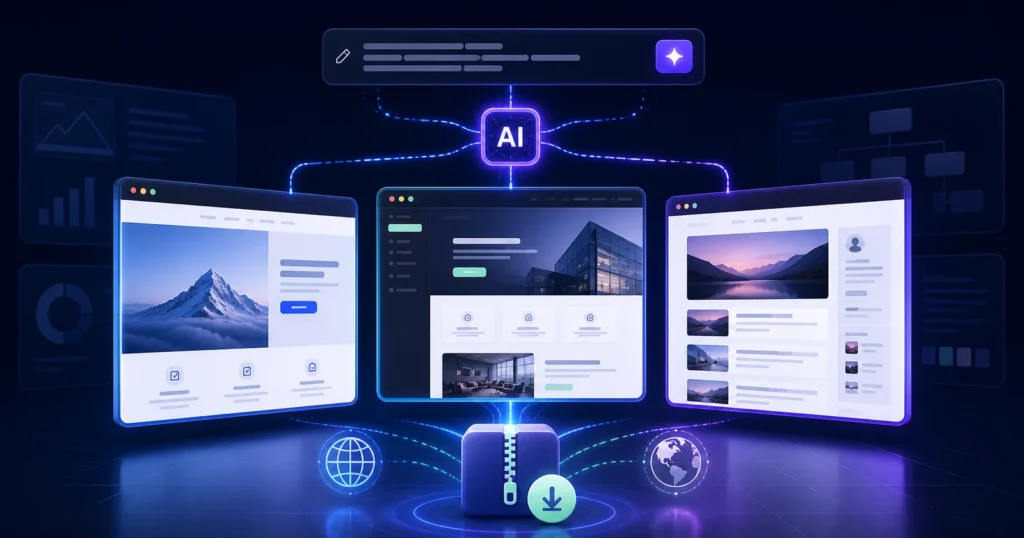
An AI White Page generator shortens the path from a niche description to a structured website with content, visuals, responsive layout, and downloadable files. Speed alone, however, is not enough. A useful service must let you control the website format, GEO, language, business details, keywords, and final output.
This guide explains how an AI generator differs from a template or traditional website builder, which capabilities matter in practice, and what to review before publishing the generated website.
What is an AI White Page generator?
An AI White Page generator turns a structured brief into an informational website. Depending on the service, it can create page architecture, copy, visual blocks, images, responsive code, and a downloadable package. The user defines the niche, intended audience, country, language, business details, and required format.
A White Page should transparently represent the real project, product, or service. Visitors, advertising systems, and search crawlers should receive the same content. Automation reduces repetitive production work, but it does not replace fact-checking, quality assurance, or a review of the current advertising policies that apply to the campaign.
For a detailed creation workflow, see our guide on how to create a White Page with AI. This article focuses on evaluating a service and reviewing the output.
Generator vs. template vs. website builder
| Approach | What you receive | Manual work that remains |
|---|---|---|
| Ready-made template | A reusable design and fixed section structure | Rewrite the copy, replace visuals, adapt sections, and edit the code |
| Website builder | A visual editor and a section library | Assemble the page, write content, choose visuals, and prepare the output |
| AI generator | Structure, content, design, and deployable files based on a brief | Verify facts, relevance, compliance, and technical quality |
| Custom development | Maximum control over every implementation decision | Plan, design, write, and build the entire website |
The generator’s main advantage is the connected workflow: brief, content, design, and packaged output. A service becomes more valuable when it reduces the number of disconnected production steps without removing human review.
What should a White Page service automate?
- create content for the selected niche instead of inserting generic filler;
- adapt terminology and contact details to the chosen GEO and language;
- support multiple website formats for different information needs;
- produce responsive layouts for desktop and mobile devices;
- select visuals that are relevant to the topic;
- deliver editable files in a standard format;
- accept target keywords and terms that should be excluded;
- support both one-off and bulk generation.
Automation does not guarantee a publishable result. AI may misunderstand the niche, create vague statements, or emphasize the wrong information. Every generated website requires a final editorial and technical review.
Website formats an AI generator can produce
Landing page
A single-page website is useful when the subject can be explained in one logical sequence. A complete landing page normally includes an opening section, product or service explanation, benefits, supporting evidence, FAQ, business details, and a clear next step.
Multi-page website
A multi-page format separates information into dedicated sections such as About, Services, FAQ, Contacts, and policy pages. It is a better choice when one long page would make the content difficult to scan or understand.
WordPress blog
A blog is designed for projects that need individual articles, categories, and ongoing updates through an admin panel. It provides a practical foundation for a longer-term content strategy.
Our comparison of a landing page, multi-page website, WordPress blog, and store can help you choose a suitable format.
How generation works in WPGads
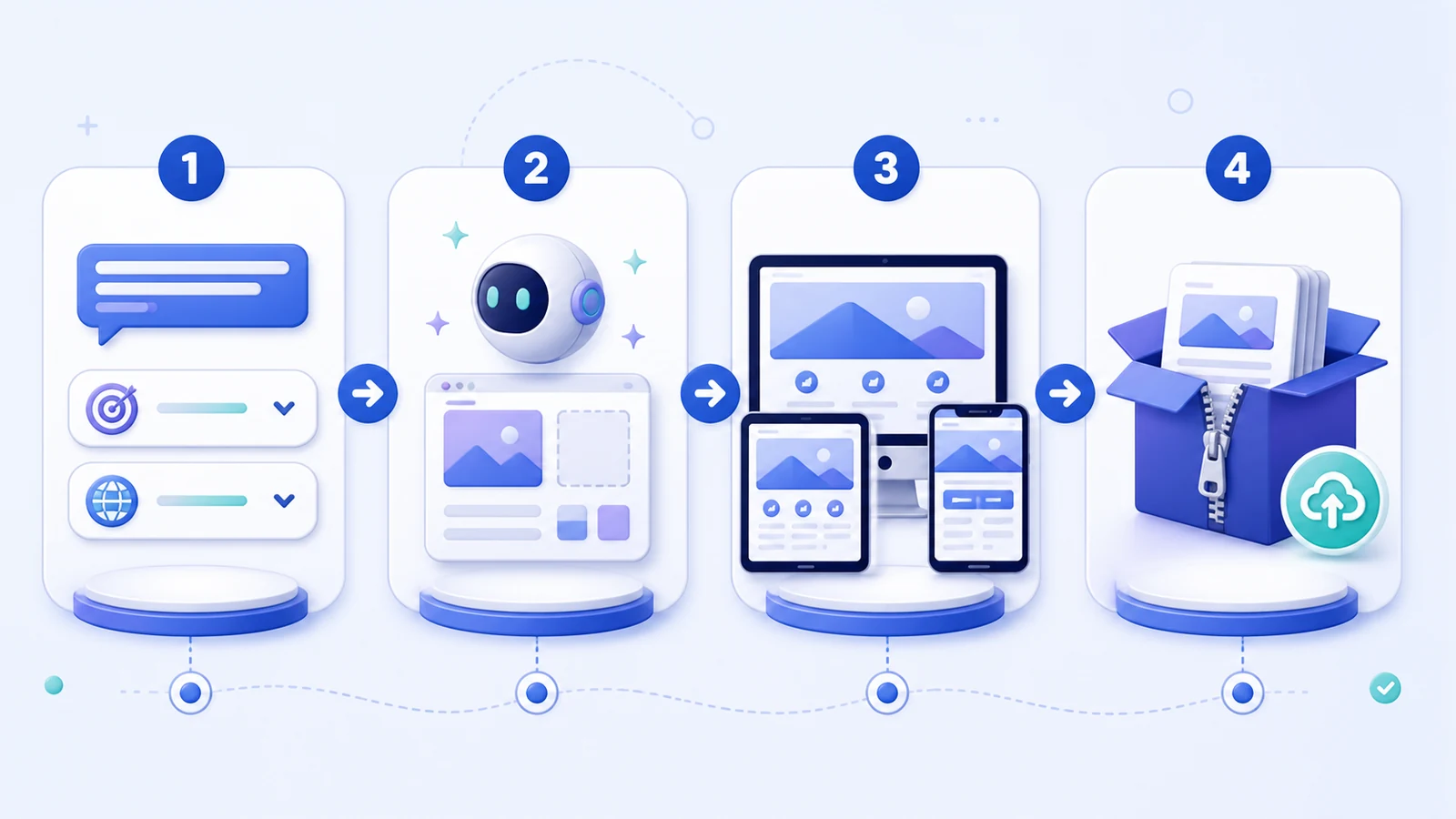
- Select the format and quantity. Choose a landing page, multi-page website, or WordPress blog and specify how many variants you need.
- Describe the niche. Add the product or service, audience, purpose, company details, and contact information.
- Configure localization and content. Select the GEO and language, add keywords, and specify language or topics to avoid.
- Generate and download. Review the responsive website and receive the packaged files for final checks and deployment.
WPGads supports more than 40 languages, HTML/PHP and WordPress outputs, and bulk generation. At the time of publication, landing page generation starts at $2; current pricing should always be confirmed in the service.
How to write a useful generation brief
- Subject and niche: what the website actually represents.
- Audience: who will read the page and which questions they need answered.
- GEO and language: country, local terminology, and the expected business-detail format.
- Verified company data: name, address, phone number, email, and other factual information.
- Required sections: services, benefits, FAQ, contacts, or separate pages.
- Target terms: natural phrases that should appear in the content.
- Restrictions: unsupported claims, unwanted topics, and wording that must not be used.
A vague request such as “build a website for a repair company” leaves too many decisions to the model. A better brief specifies the repair type, service area, audience, request method, verifiable advantages, and required sections.
What to review before publishing
- Brief alignment: every section reflects the intended niche, offer, audience, and GEO.
- Facts and business details: names, locations, prices, contacts, and claims are correct.
- Consistent content: the website does not substitute different content for users, advertising systems, or search crawlers.
- Navigation: menus, buttons, anchors, and links behave as expected.
- Mobile layout: text is readable, images stay within the viewport, and controls remain usable.
- Output integrity: the package extracts correctly, the entry file is clear, and asset paths are not broken.
- SEO basics: the page includes a unique Title, Description, H1, descriptive alt text, and the correct canonical URL.
- Platform requirements: the page and campaign have been checked against the current rules of the selected traffic source.
Use our guide to download and deploy a White Page for the technical steps, and the White Page launch checklist for final preparation.
How to choose an AI White Page generator
Evaluate a service using seven practical criteria:
- support for the website format you actually need;
- control over language, GEO, business details, and target terms;
- editable and clearly structured output files;
- responsive desktop and mobile layouts;
- meaningful variation between separately generated websites;
- examples that allow you to assess content and structure;
- a straightforward path from download to review and deployment.
Do not select a tool based only on its claimed generation speed. Compare several outputs, inspect the copy and code, test mobile rendering, and measure how much manual work remains before publication.
Common generator mistakes
- publishing generated content without fact-checking;
- using a brief that is too short or ambiguous;
- including unsupported promises or invented company information;
- reusing identical copy across different GEOs and languages;
- skipping the mobile and technical review;
- treating automation as a substitute for a useful and transparent website.
FAQ
Can a White Page be created fully automatically?
A generator can prepare the structure, copy, visuals, design, and code. Human review is still required for facts, business details, links, mobile rendering, technical integrity, and advertising-policy compliance.
Can I edit the generated website?
Yes, when the service delivers standard HTML/PHP files or a WordPress website. Confirm the editing workflow before generation, especially if the content will need regular updates.
Which format is best for a first project?
A landing page is often sufficient for a compact subject or offer. Choose a multi-page website when visitors need several dedicated sections, and use a WordPress blog when ongoing publishing is part of the plan.
Does a generator guarantee ad approval?
No. The advertising platform makes the decision. A generator can help create a technically complete and relevant website, but the user remains responsible for factual accuracy, the advertised offer, and compliance with current rules.
Create a White Page with WPGads
WPGads lets you define the niche, GEO, language, website format, business details, and target keywords, then generates a packaged website for review and deployment. The service supports both individual and bulk production of landing pages, multi-page websites, and WordPress blogs.