Русский
  English

A White Page should be a complete, understandable website with accurate content, functional navigation, and information that represents a real project. A polished layout alone is not enough. Before the page can support a campaign or an organic search strategy, it needs a clear purpose, verified content, technical configuration, a public domain, and a final quality review.
This guide covers the entire workflow from the initial brief to launch. It applies to landing pages, multi-page websites, and content-driven blogs. The objective is a transparent website that serves the same content to users and review systems, without hidden redirects or page substitution.
What It Means to Use a White Page
Using a White Page is a lifecycle rather than a single action:
goal → format → structure → content → configuration → review → publication → maintenance.
The stages must support one consistent idea. The headline introduces the subject, the sections answer visitor questions, navigation behaves as expected, and the contact and legal pages explain who is responsible for the project.
A White Page can function as a service landing page, company website, topical blog, local business site, or solution directory. The right format depends on the amount of information and the visitor journey, not merely on visual preference.
Define the Project Before Building

Prepare a short, factual brief before choosing a template or starting generation.
Primary Goal
Choose one main visitor action: submit an inquiry, understand a service, view a product, contact the company, or read an article. Several competing calls to action can make the page difficult to understand.
Audience, Language, and Location
Define the intended audience, publishing language, and target region. Localize contact details, prices, measurements, legal information, and examples rather than translating isolated sentences.
The Real Offer
Collect verified product or service details, limitations, pricing, terms, contact methods, and evidence for important claims. AI and templates accelerate production, but they cannot replace reliable source information.
Website Format
A landing page may be enough for one focused offer. Separate pages work better for multiple services, while a blog supports recurring content and search visibility. See White Page Examples and Templates for a detailed format comparison.
Three Ways to Create a White Page
Generate the Website with AI
An AI workflow uses the topic, language, site type, and other inputs to assemble structure, copy, visuals, and downloadable files. It can produce a useful first version quickly, but facts, contacts, and claims still require human review. The process is covered in How to Create a White Page with AI.
Adapt a Ready-Made Template
A template provides predictable composition. It still needs project-specific copy, imagery, navigation, forms, metadata, and legal pages. Sections that do not serve the visitor should be removed rather than filled with generic text.
Develop the Website Manually
Manual development provides maximum control but takes longer. It is useful when a project needs custom behavior, integrations, or a dedicated design system.
Regardless of the method, the output should be a self-contained, accurate, and technically functional website.
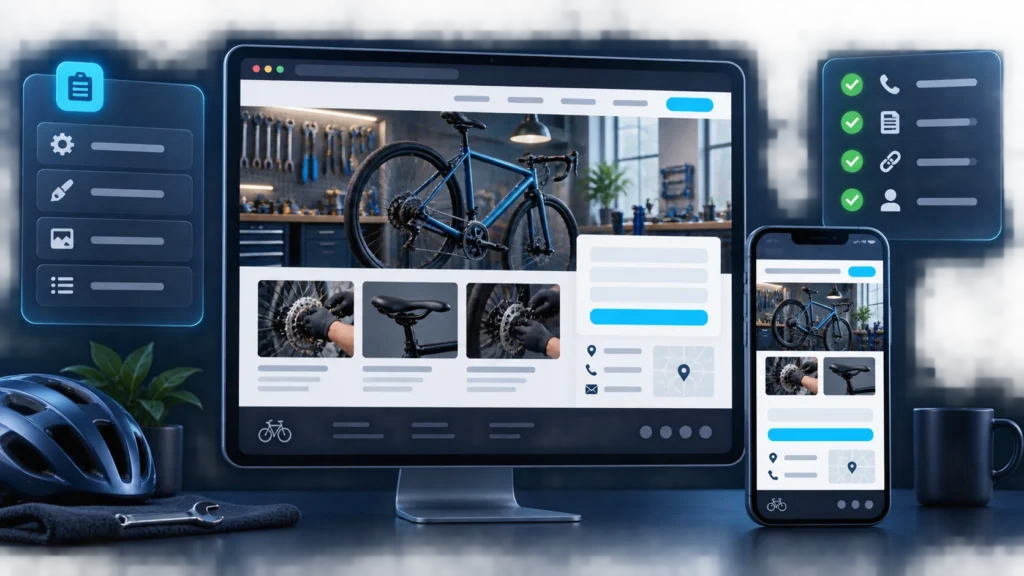
Example: A White Page for a Local Bicycle Repair Shop
Imagine a training project: a workshop accepts requests for bicycle inspections and repairs. This is an illustrative structure, not an actual business. Before publishing, the owner must replace every sample detail with verified information and confirm that the listed services are available.
Complete a Short Brief
- Goal: Receive an appointment request. Verify who responds and how.
- Audience and area: Cyclists in one city. Confirm the actual city and service area.
- Services: Inspections, brake adjustment, drivetrain service. Confirm which jobs the workshop really performs.
- Primary action: “Request an inspection” button. Check where it leads and whether the form works.
- Terms: Price and timing are provided after inspection and approval of the work. Confirm the actual assessment, payment, and delivery process.
- Trust and contact: Workshop photos, contact details, opening hours. Verify photo rights and the accuracy of the details.
The brief connects the page to its purpose. If the shop does not service drivetrains or take online requests, remove those elements instead of leaving them in the draft.
Turn the Brief into a Page
A landing page can suit one location and a clear set of services. Set the project topic and language in the generator or template, then compare the resulting structure with the brief. Generation provides a starting point; it does not verify business facts.
- First screen: “Bicycle repair in [city name]” and a clear next step: “Describe the problem. We will clarify the possible work and suggest a time for an inspection.” Replace the city and process with verified details.
- Services: create short sections only for work the shop performs. Explain what each service includes and when an inspection is needed first.
- Terms: explain how the price is determined, when work is approved, and how the customer learns the estimated timing. If prices are known in advance, show an up-to-date price list.
- Contact: add a verified address, opening hours, and contact method. If you include a map, check that it points to the correct workshop.
- Form: ask only for details needed to respond, such as a name and one contact method. Explain what happens after submission, and link to the real project’s privacy information.
Test the Public Version
After deployment, open the page on both a phone and a desktop. Follow the visitor path rather than only inspecting the design.
- “Request an inspection” button: Opens the intended form or agreed contact method.
- Test submission: Shows a success message and reaches the person responsible.
- Contact details and map: Phone, address, hours, and map location match the real business.
- Mobile view: Copy is readable, fields and button can be used, and images do not cover the form.
- Links and supporting pages: Each link opens its intended destination; privacy information is accessible from the form.
- Public URL: Loads over HTTPS; the main page returns 200, and a nonexistent URL does not display a copy of the landing page.
If a request is not delivered, an address is wrong, or a claim remains unverified, fix it before sending visitors to the site. After each change, repeat the form test and check the mobile view again.
Configure the Content and Structure
Make the First Screen Specific
Visitors should immediately understand the subject, the main value, and the next step. Avoid interchangeable promises that could appear on any website.
Explain the Offer in a Logical Sequence
A practical content order is:
- What is being offered.
- Who it is for.
- How the product or service works.
- What conditions and limitations apply.
- Why the information is trustworthy.
- How to contact the organization or complete the intended action.
Every section should help a visitor make an informed decision. Do not keep a block simply because it existed in the original template.
Verify Claims and Supporting Material
Statistics, testimonials, certifications, research references, and partner logos must be genuine and used with permission. When results depend on conditions, explain those conditions close to the claim.
Add Contact and Legal Pages
Provide an accessible contact method and identify the organization or website owner. If the page collects personal data, include an appropriate privacy policy and clear consent. Commercial projects may also need terms for subscriptions, returns, delivery, or service use.
Configure Forms, Analytics, and SEO

Forms
Ask only for information required to handle the request. Explain what happens after submission, display a clear success state, and verify that the message reaches its destination.
Analytics
Track meaningful actions such as form submissions, contact clicks, primary CTA clicks, and visits to key sections. Avoid unnecessary scripts that slow the page or collect data without an appropriate legal basis.
SEO
Set a unique title, meta description, and H1 for every indexable page. Review the canonical URL, language signals, Open Graph data, Twitter Card, and Schema. Add meaningful internal links across multi-page websites.
Technical Configuration
Test mobile layout, load performance, HTTPS, the HTTP 200 response, and every image, stylesheet, and script. Navigation items, buttons, and links must lead to the destination a user reasonably expects.
Launch the White Page
Keep a copy of the source website before deployment and prepare the domain. The next step depends on the output format:
- upload a static HTML website to the public hosting directory;
- place a PHP website on hosting that supports the required runtime;
- deploy a WordPress package with its theme, content, and required components.
The technical sequence is explained in How to Download and Deploy a White Page.
After deployment, test the public domain rather than a local file or preview URL. Review the www and non-www versions, HTTP-to-HTTPS redirects, and the response to a nonexistent URL.
Pre-Launch Checklist

Content
- headlines and body copy represent the real offer;
- pricing, dates, terms, and contact details are current;
- imagery, reviews, and logos are used lawfully;
- promotional content is disclosed where required;
- the page contains no fabricated facts, artificial urgency, or unsupported promises.
Interface
- navigation and internal links work;
- the primary CTA is clear;
- forms submit and show a result;
- the page works on mobile devices;
- overlays do not prevent access to the content.
Technical and SEO
- the website loads over HTTPS and returns a 200 status;
- the title, description, H1, and canonical URL are correct;
- Social Image and Schema are configured;
- there are no broken assets or links;
- analytics records the intended events without errors;
- a backup of the working version exists.
Common Creation and Launch Mistakes
Publishing an Unedited Template
Generic copy, placeholder images, irrelevant sections, or somebody else’s contact details make the website inconsistent and untrustworthy.
A Headline That Does Not Match the Page
The visitor arrives with one expectation, while the first screen introduces a different subject. The solution is not only a new headline; the complete page sequence must support the original promise.
Nonfunctional Navigation
Menus may look active but lead nowhere, partner logos may not open their sources, and repeated buttons may have no clear result. Test every interactive element.
Skipping Mobile Review
Headlines may be clipped, buttons may overlap, and images may be unnecessarily heavy on smaller screens. Test multiple viewport sizes and at least one real device.
Editing the Live Website Without Control
A small change can break a form, stylesheet, or metadata. Work from a copy, record changes, and keep the previous stable version available for recovery.
How WPGads Fits the Workflow
WPGads helps with the most time-consuming production stage: generating a website foundation from selected parameters. Choose the project type and language, generate the website, review the result, and download the files. Then replace or verify factual information, complete the checklist, and deploy the project on your own domain.
Create a White Page with WPGads
FAQ
Can I Create a White Page Without Knowing HTML?
Yes. A generator or template can provide the initial website without manual coding. Basic knowledge of hosting and website files is useful for deployment and troubleshooting but is not required to create the first version.
What Should I Configure First?
Start with the actual offer, contact details, conditions, and intended visitor action. Then configure forms, navigation, mobile layout, SEO, and technical delivery.
When Is a White Page Ready to Launch?
It is ready when the public version accurately represents the project, works across devices, contains the necessary disclosures and legal pages, and passes link, form, metadata, and performance checks.
Can I Edit the Page After Publication?
Yes. Updates are necessary when facts, prices, or terms change. Keep a backup and repeat the technical checklist after every material edit.
Should Users and Review Systems Receive the Same Page?
Yes. Transparent publishing means serving the same content to every visitor. Page substitution, hidden redirects, or attempts to circumvent an advertising platform’s review process are not appropriate White Page practices.