Русский
  English
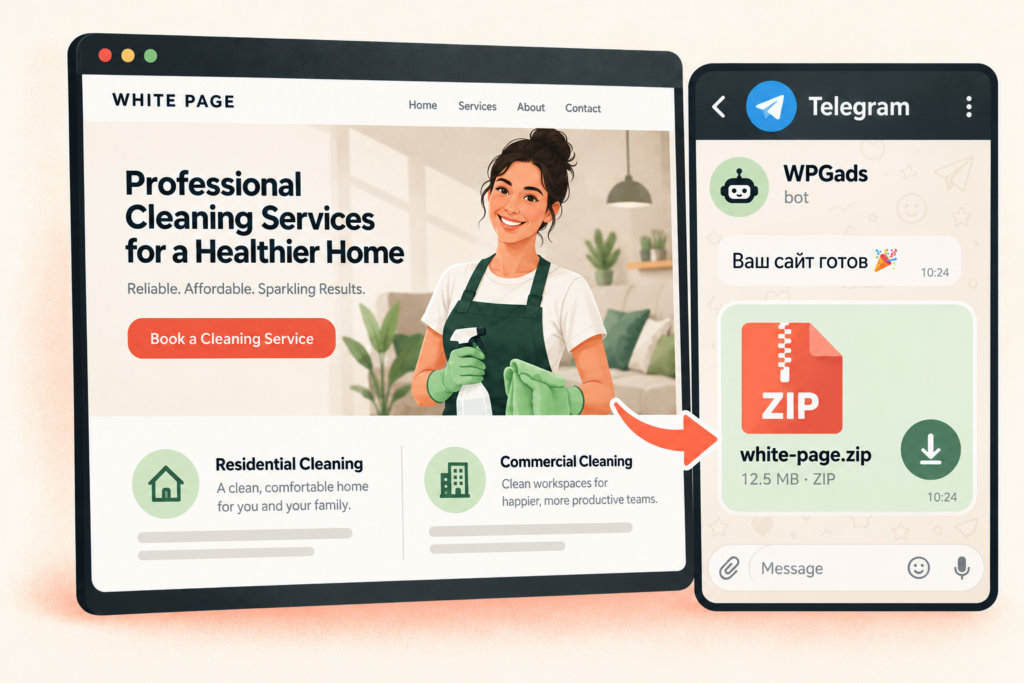
If you want to buy a White Page, first decide what you expect to receive: downloadable website files, a live site on your domain, or a developer’s work with ongoing support. Sellers can use the same product name for very different packages. The lowest price per site does not always cover the same work.
This guide uses WPGads to show how to compare deliverables, choose a format, and estimate the cost of getting a site online. For a broader introduction to the tool, see our AI White Page generator guide.
What are you actually paying for?
Before comparing prices, list what you need after payment: website files, editable text and contact details, the right language, and a clear way to deploy the result. If you need someone to deliver an already hosted website, include that in your brief.
WPGads delivers the generated website as a ZIP archive in Telegram. It does not provide a domain or hosting. Treat website generation and deployment as separate parts of your budget. Our guide to downloading and deploying a White Page explains the next steps after receiving the files.
Describe the deliverable in one sentence. For example: “I need one English-language website with my business details, supplied as editable files for my existing hosting account.” A precise brief makes it easier to compare a generator with a freelancer’s quote or a package that includes deployment.
Choose a format and calculate the generation cost
The public WPGads pricing section lists the following options at the time of writing. Check the current price and order details inside the service before paying.
| Format | Listed price per site | Listed deliverable |
|---|---|---|
| Landing page | $2 | A single-page website in HTML/PHP |
| Multi-page website | $4 | HTML/PHP, with up to 11 generated pages |
| Blog | $6 | A WordPress blog with 6 generated articles |
Choose the format around the information visitors need and the way you plan to maintain it. A landing page suits one focused offer. A multi-page website gives substantial sections their own pages. A blog is useful when you want to add and edit posts through WordPress. The website format comparison covers these differences in more detail.
Example: two landing pages, one multi-page website, and one blog cost 2 × $2 + $4 + $6 = $14 for the generation of four websites at the listed prices. This example excludes discounts and the separate cost of deployment or further work.
Do not confuse the number of sites with the number of pages. A website with several sections is still one project. If you need separate sites for different offers or languages, confirm the number of outputs you are ordering before generation.
Budget for the work beyond the ZIP archive
A useful planning formula is website files + deployment + required changes + ongoing maintenance. Some of these items may already be covered by resources you have, such as an existing domain, hosting account, or developer.
- Domain and hosting. Check both the initial price and renewal terms. Confirm that your hosting supports the chosen website format.
- Content preparation. Gather accurate business details, offer information, and contact methods. Include any separately commissioned editing or image work in your budget.
- Deployment and setup. Decide who will upload the files, connect the domain, and test the site. Receiving a ZIP archive does not, by itself, include these services.
- Integrations. If you need a CRM, analytics, or another external service, agree on the setup work and how it will be tested.
- Future changes. Decide how you will update the content and who will maintain the site. Do not assume that every future change is included in the original purchase.
A custom developer’s package and a generator’s output can have different scopes. If a seller includes hosting, support, or revisions, ask for the duration, limits, and access credentials you will receive. Compare the complete package against your brief.
Check the order before paying and launching
Before payment: inspect examples and confirm the file format, language, number of websites, and scope of delivery. Read the service’s terms for technical failures and separately charged changes. Ask support about anything the order screen or terms do not explain.
After delivery: open the archive and inspect the site. Check your contact details, images, links, and the main visitor journey on desktop and mobile. Confirm that you can edit the files or content in the way you expected. If someone else handles deployment, agree on the acceptance checks and handover of access.
A White Page should accurately represent your project. Buying website files does not guarantee advertising approval, search rankings, or leads. Assess the actual deliverable and whether it meets your requirements.
To buy a White Page through WPGads, open the generator in Telegram, choose a format and quantity, and prepare your topic and project details. Review the settings and total price before starting generation.